
Black Spirit's Scheduler
Last Edited on : Oct 22, 2026, 19:49 (UTC)
Black Spirit's Scheduler
- Added Black Spirit's Scheduler, where you can manage the schedules for daily and weekly quests along with various other content.
- You can find the Black Spirit's Scheduler under Menu - Function.
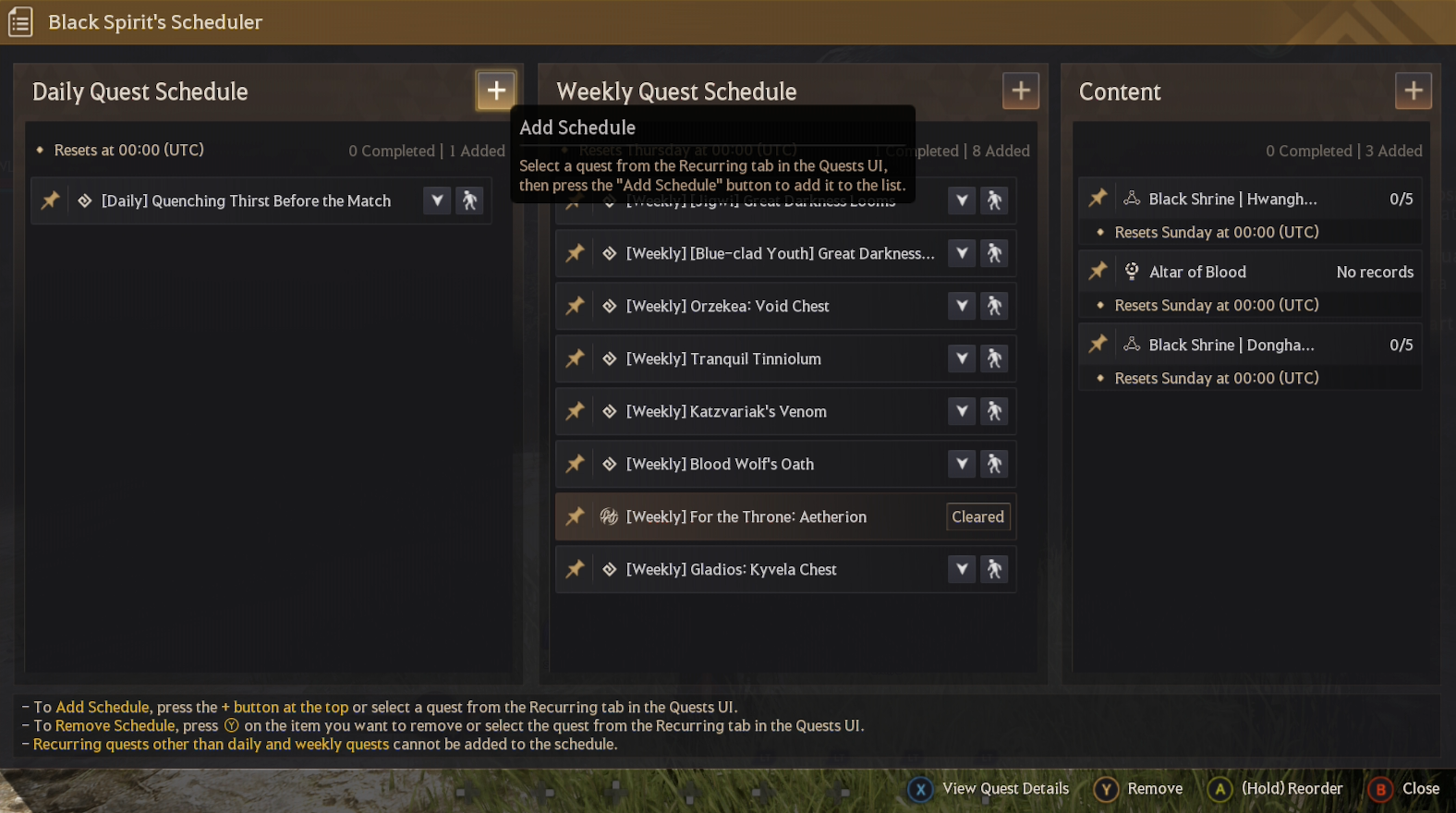
- The Black Spirit's Scheduler is Family-wide.
- Add a schedule by pressing + at the top, or by selecting a quest directly from the Recurring tab in the Quests UI.
- However, recurring quests other than daily and weekly quests cannot be added.
- Select and drag a quest to move and place it in the list of your choice.
- To delete a quest, press △/Y, or select the quest directly from the Recurring tab in the Quests UI.
- All content schedules will be displayed by default after the update. Press + to open the settings and toggle each schedule on or off.